
Turn your into with .
Dome brings your library and your relationships into a local-first workspace. Many finds the relevant material, understands who you are working with, and prepares the next step. You review and approve.
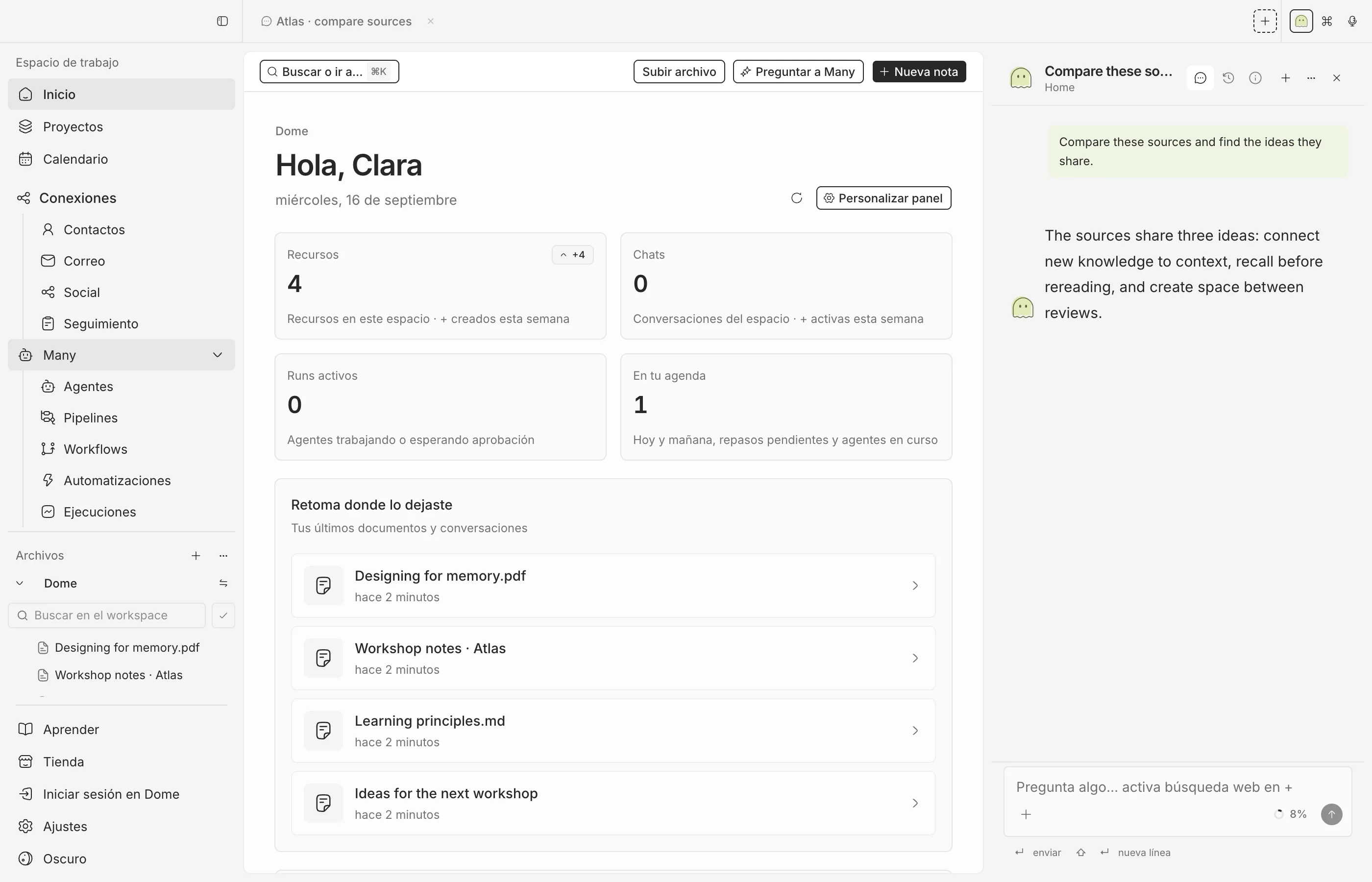
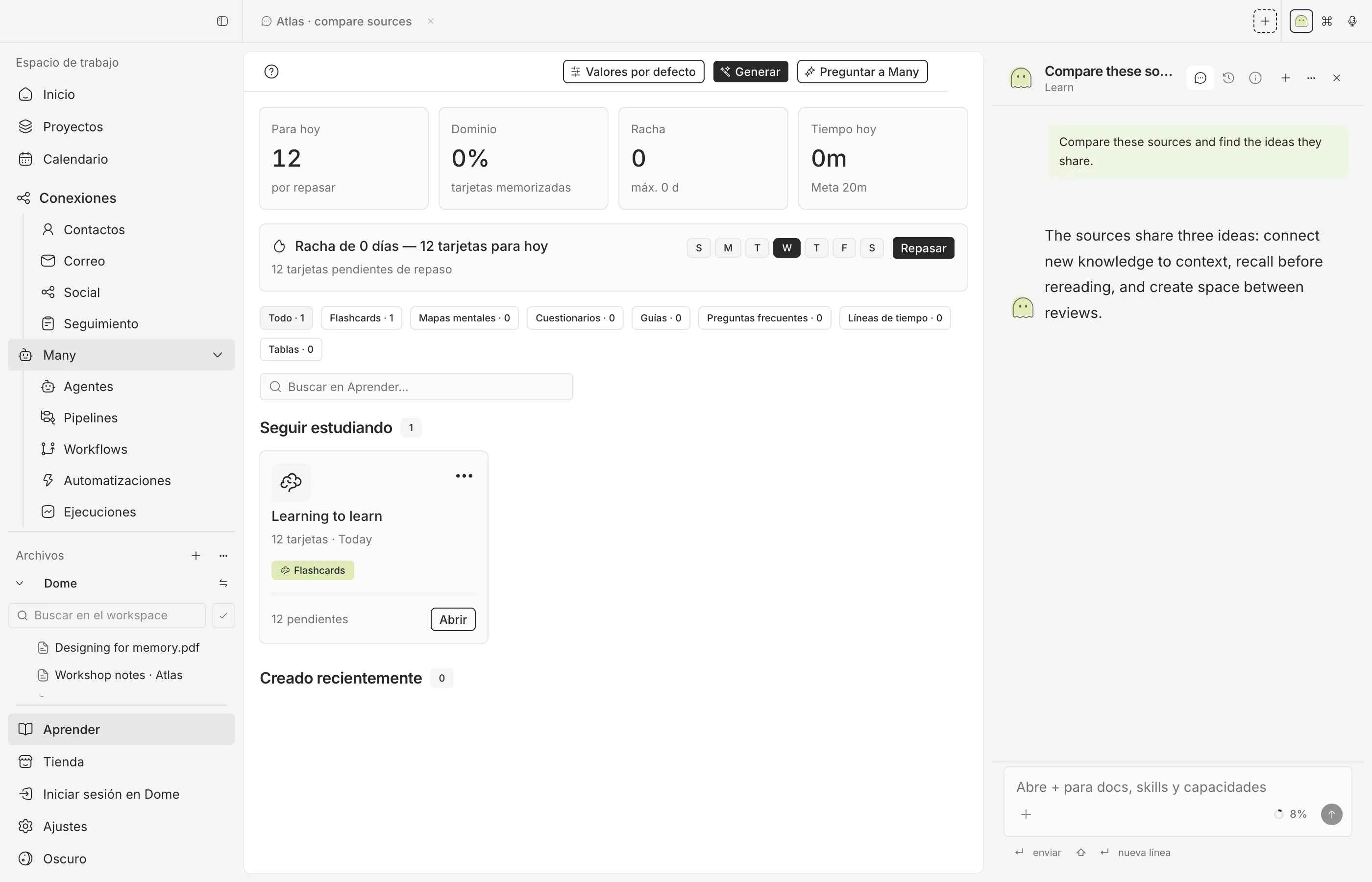
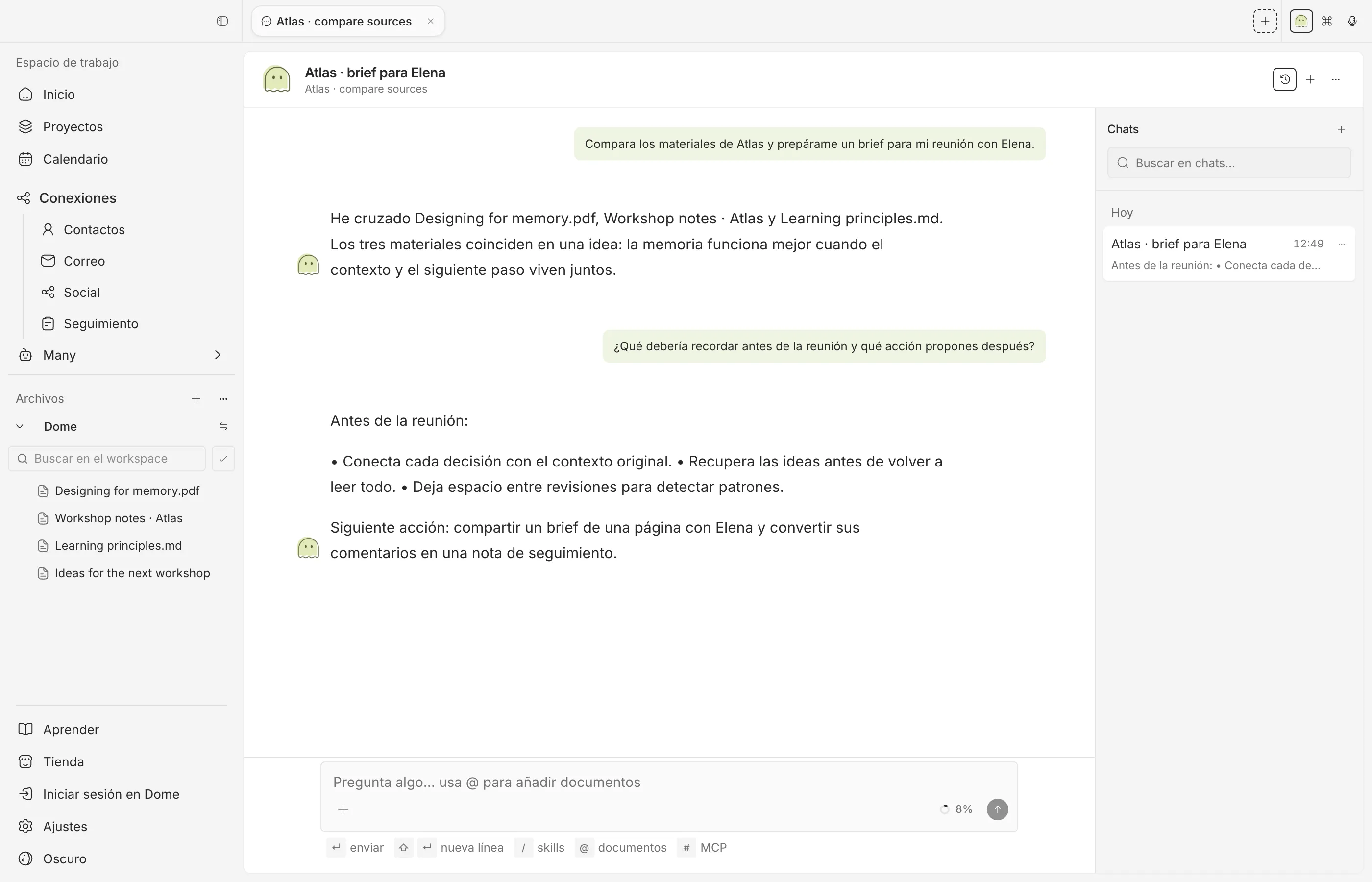
Library, learning and integrations in one application.
Use Dome with your library, your people, and Many.
Know where your context lives.
Local-first means your library and people stay on your computer by default. It also means we tell you when a cloud provider receives content.
Your data, your disk.
The library stays in Dome’s application storage. Many works on that material. Cloud is optional, and only when you connect it.
You stay in control.
The model, the send, and the cloud stay off until you choose them. Anything that leaves your disk waits for a decision.
- Local Ollama
- Your own keys
- Cloud only if you connect it
- Email waits for approval
- Social waits for approval
- Library on disk
Documentation: Storage and permissions Privacy
Beyond the desktop
Your Dome, on iPhone and in the browser too
Your library and Many stay on your computer. Companion and the extension are just other doors into them.
-
Dome Companion for iPhone
Ask Many about yesterday's report or approve the email it drafted while you wait for coffee. Everything runs on your Mac.
See how it works → -
Extension for Chrome, Edge and Safari
Save the article you're reading with its summary, quote a paragraph into a note, or turn a profile into a contact, without copy and paste.
See how it works →
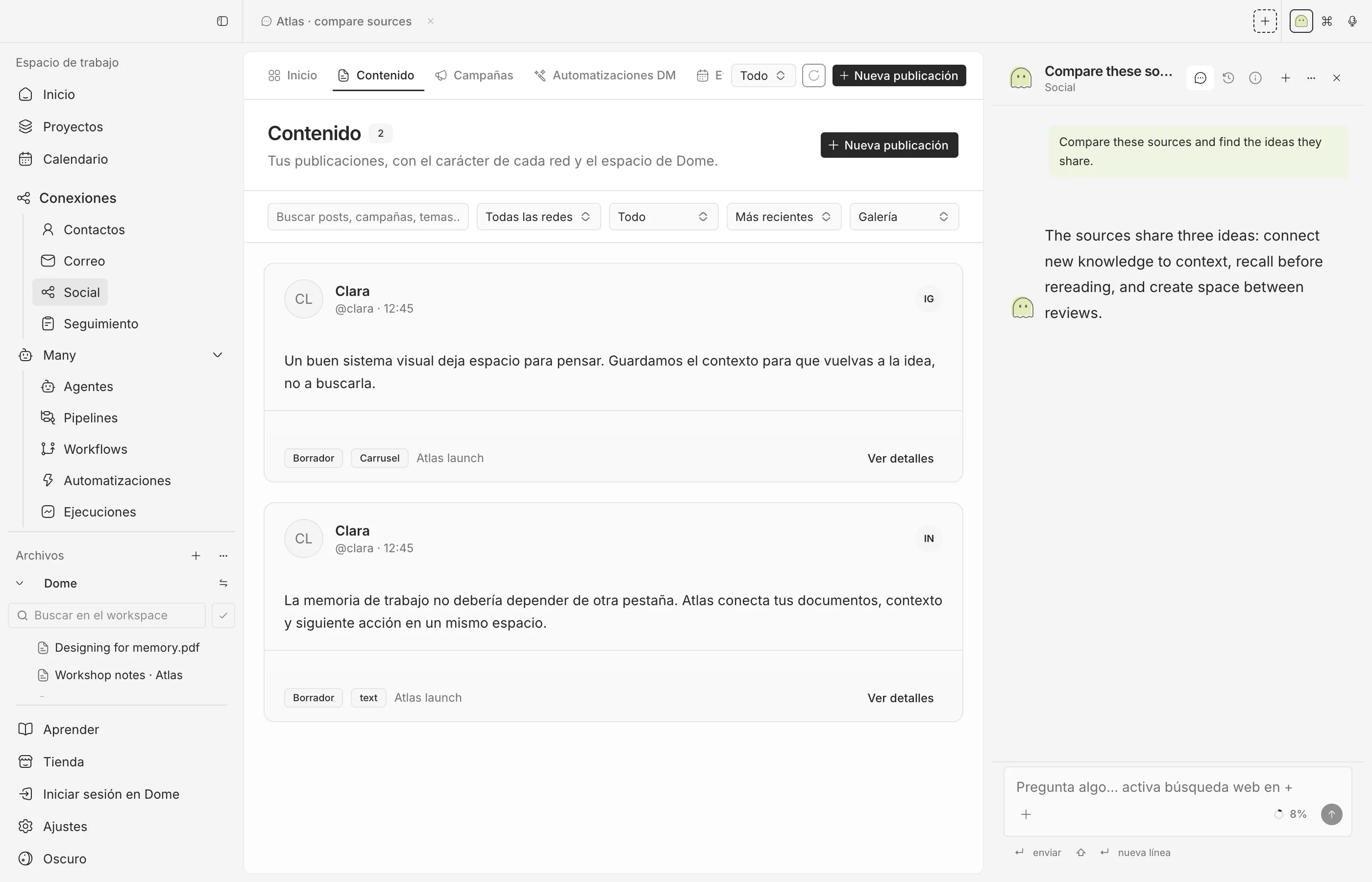
See the full flow, from import to approval.
Import a resource, open a person, let Many prepare the next step, and approve before anything leaves your disk.
FAQs
Everything you need to know about Dome. Can't find what you're looking for? Reach out to our support team for assistance.
General
Is Dome a web app?
No. The primary product is a desktop app for macOS, Windows, and Linux.
Is Dome local?
It is local-first. Your library and people are stored locally by default, but if you connect a cloud provider, content sent to that provider follows their policy.
Do I need an account?
A local trial should not depend on a cloud account. A Dome account is for Provider features when they are available.
Usage
Can I use ChatGPT, Claude, or Ollama?
You can configure the compatible providers exposed by the published version of Dome.
Can I use Dome for work and learning?
Yes. The library, Many, learning and integrations are part of the same application. Explore Features to see each workflow.
Library
What can I import?
Notes, PDFs, video, audio, pages, and URLs — only the formats the published version supports stably.
Turn the next document into a next step.
Download Dome, import a resource, and see whether Many understands the context.