Dome Companion · iPhone
Your Mac's Many, on your iPhone
Ask about the PDF you imported this morning or approve the draft Many left ready. Companion sends the request to your Mac; your library remains local and the references you open travel through the encrypted tunnel.
Request and response · encrypted tunnel

Runs on your Mac

Dome Companion
Your context, with you.
Dome Desktop
Context and tools
Summarize today’s notes.
Many consults your library in Desktop.
With references to your documentsRequires the corresponding plan
View real Dome captures 01
What you can do from your phone
-
Ask your library
Many answers with the notes, PDFs and transcripts on your Mac, using the same tools as on the desktop.
-
Approve without opening the laptop
When Many needs your OK to send or change something, it asks on your iPhone and waits for you there.
-
Open what Many cites
Preview the document or skill it mentions through the same encrypted tunnel, without syncing your library to the cloud.
Pair in a minute
-
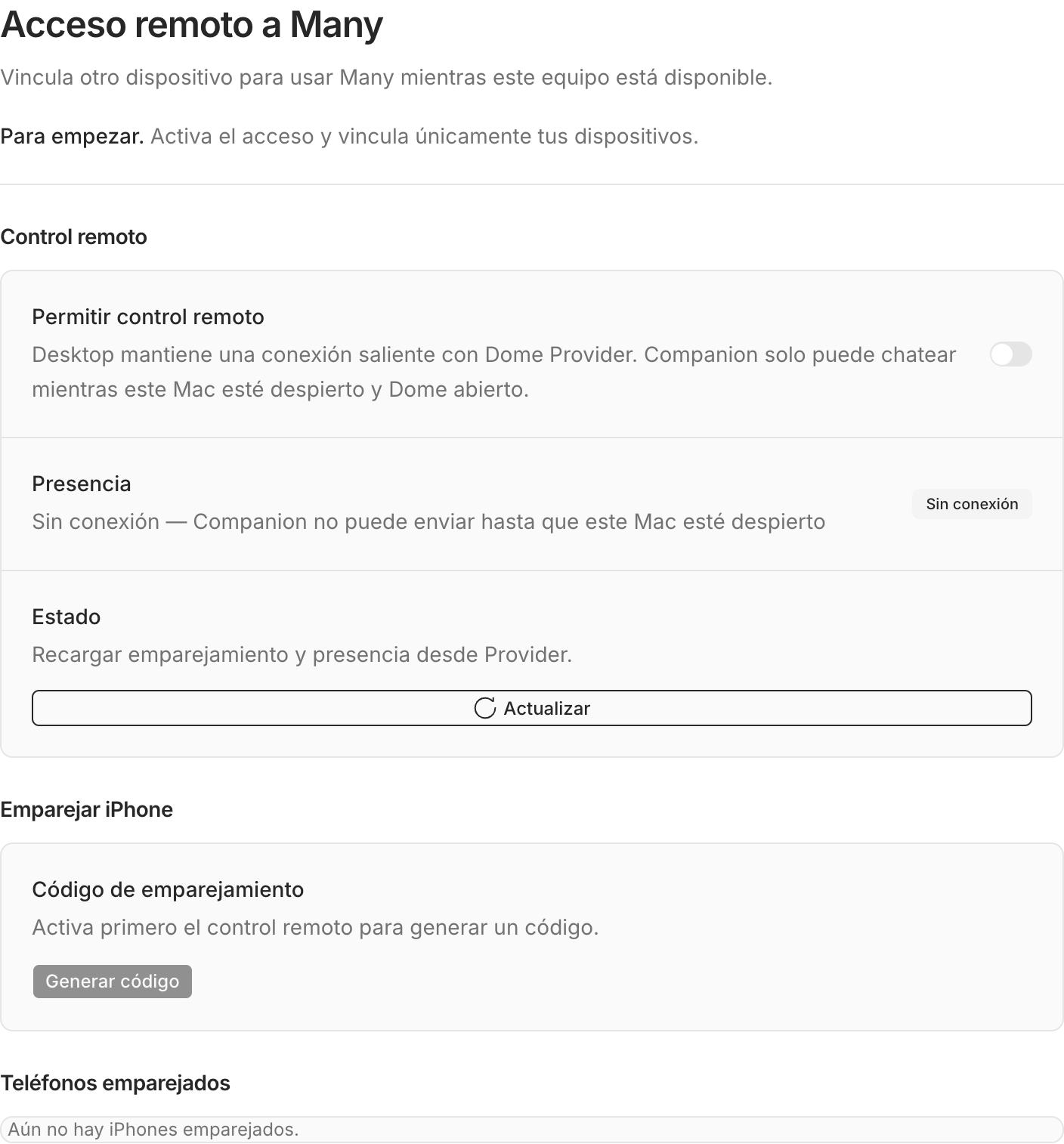
Turn on remote control
In Dome for Mac: Settings → Remote Many → Allow remote control.
-
Generate a code
Click “Generate code”. It expires after 10 minutes and works once.
-
Enter it in Companion
Sign in to Companion with your Dome account and paste the code under Account.
Your Mac does the work
Messages travel end-to-end encrypted between iPhone and Mac. Dome Provider only relays envelopes it can't read and never runs Many. If your Mac is off, Companion tells you: there is no cloud fallback.
What you need
- An iPhone on iOS 17 or later.
- Dome for Mac open, remote control on and the Mac awake.
- A Dome account on the Starter, Pro or Max plan.
Frequently asked questions
Does it work while the Mac sleeps?
No. Many runs on your Mac, so it has to be awake with Dome open. Companion tells you when it isn't available.
Can I pair more than one iPhone?
Yes. Each phone shows up in Settings → Remote Many and you can revoke it any time.
What if I lose my phone?
Revoke the device from Dome for Mac. That phone's pairing and keys stop working immediately.
Is there an Android version?
Not yet. Companion is iPhone only for now.
Keep Many on your Mac. Carry it in your pocket.
Install Dome on your Mac, turn on remote control and pair your iPhone with a code.